Resources / Field guide
Where to Find Sarium Crystals in Star Trek: Outposts Unknown
On Daegus, select the red-orange crystals and check for Crystal Deposit. Build a Crystals Extractor there and enable Collect Sarium Crystals.
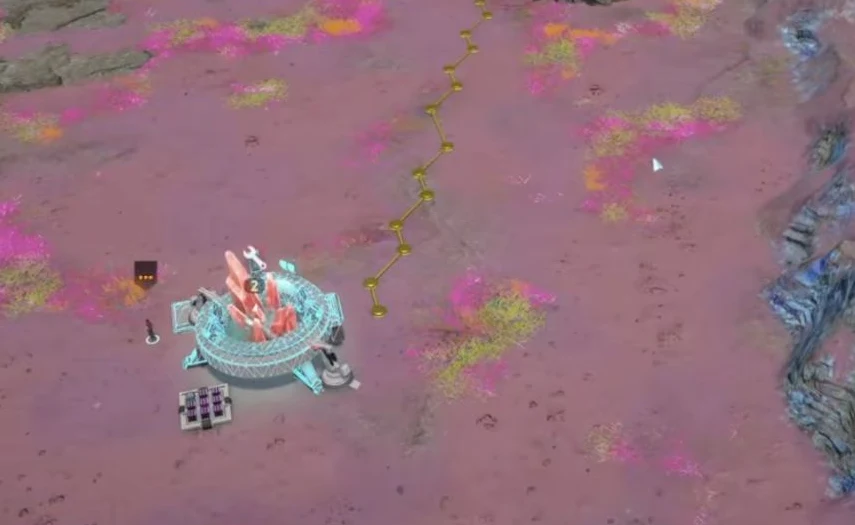
Identify the right deposit
Look for red-orange surface crystals on Daegus, then select the object. The important check is the Crystal Deposit name and its description mentioning Sarium and Dilithium.
Do not confuse it with Fossilized Deposits, which are exploration objects. A compass direction alone is also a poor way to identify the resource across different outpost layouts.
Set up a Crystals Extractor
- Place a Crystals Extractor on the deposit using the valid placement preview.
- Connect power and assign crew to the working shift.
- In Resource Output, enable Collect Sarium Crystals.
- Check that the correct recipe advances and that Sarium output becomes available.
The input is Uncollected Crystal. The separate Extract Crystalline Structures recipe produces a different material, so its progress is not your Sarium progress.
Read storage values correctly
A deposit showing 5000/5000 Uncollected Crystal contains unmined material. It does not mean you already own 5,000 Sarium Crystals.
Check the Sarium output and its destination inventory. If extraction works but the material is not reaching another building, investigate hauling and storage separately.
Similar building names
| Name | Role |
|---|---|
| Crystals Extractor | Works a large Crystal Deposit |
| Crystal Collector | Collects nearby small geological resources |
| Crystal Processor | Processes materials for power cells |
For the large deposit route, choose the Extractor and the Sarium recipe rather than a similarly named building.